
Download DreamPlan Home Design – home design software, 3D home planner, floor plan maker, interior design tool, dream home planner
Overview
DreamPlan Home Design is a free mobile application designed to help users conceptualize and visualize their ideal living spaces. The app enables individuals to create detailed floor plans, design interiors and exteriors, and explore landscaping possibilities with intuitive tools. Targeted at homeowners, renters, and design enthusiasts, it offers a practical solution for planning renovations, reconfiguring rooms, or designing new homes from scratch. The app supports both residential and commercial space planning, making it a versatile tool for personal and professional use.
Although the developer did not provide additional technical details, DreamPlan Home Design appears to be part of a broader suite of design utilities developed by NCH Software, known for productivity and creative tools. Its primary purpose is to bridge the gap between imagination and execution by offering a user-friendly interface that simplifies complex design tasks. Real-world use cases include remodeling kitchens, optimizing small apartment layouts, and visualizing garden redesigns before committing to physical changes. In the mobile app ecosystem, DreamPlan fills a niche for accessible, on-the-go design planning, especially for users who prefer mobile-first workflows over desktop software.
Key Features & Functionality
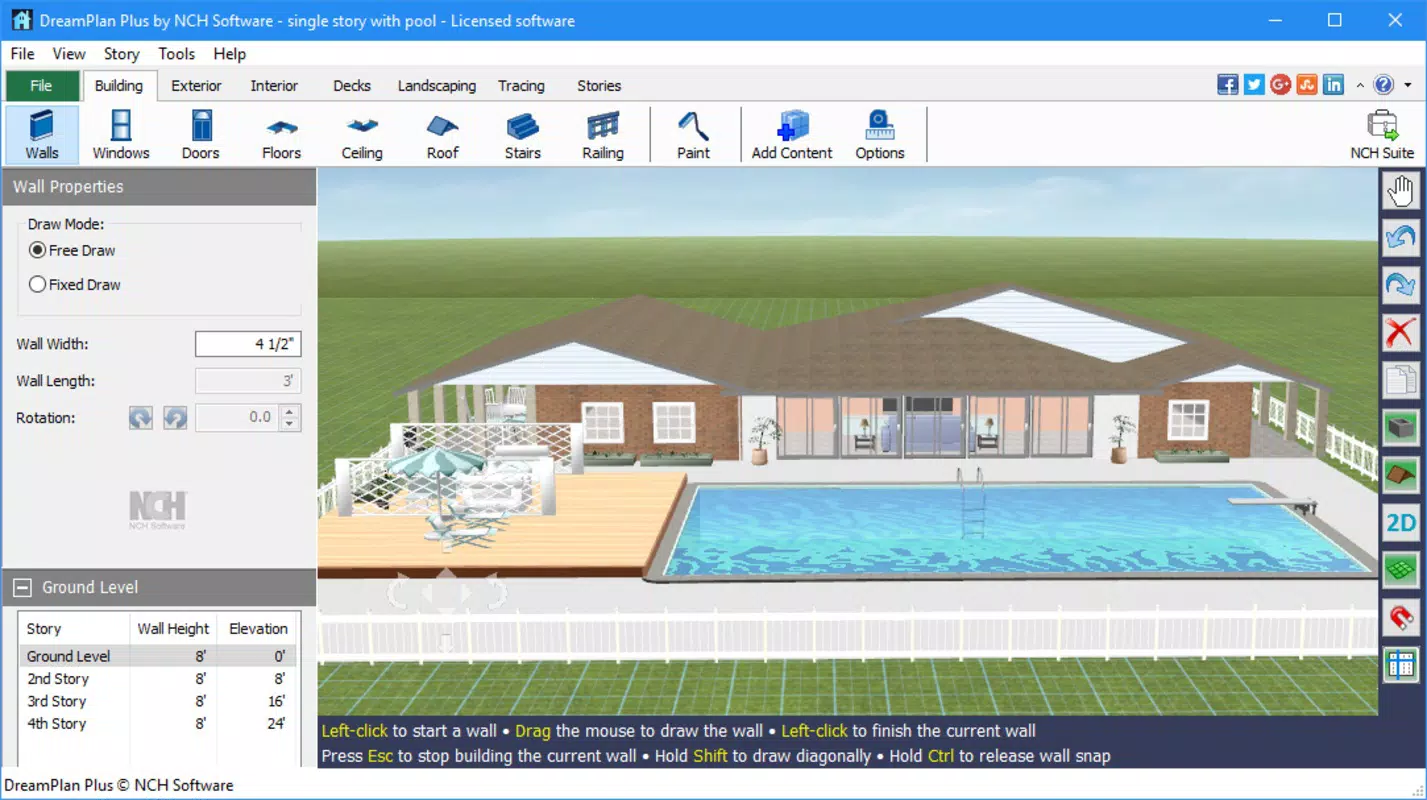
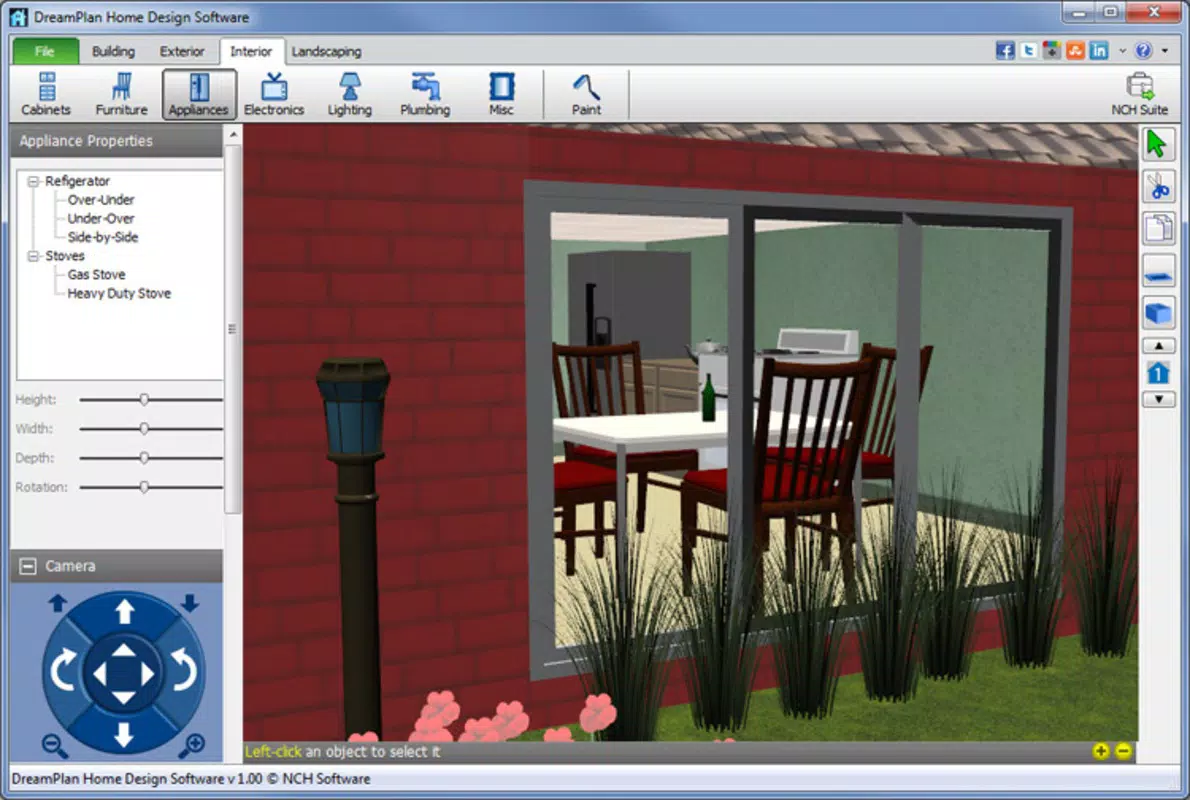
- Interior and Exterior Design Tools: Users can define room layouts, place walls, and customize fixtures such as doors, windows, and cabinets. The app supports detailed room-by-room planning, allowing for precise placement of furniture and appliances.
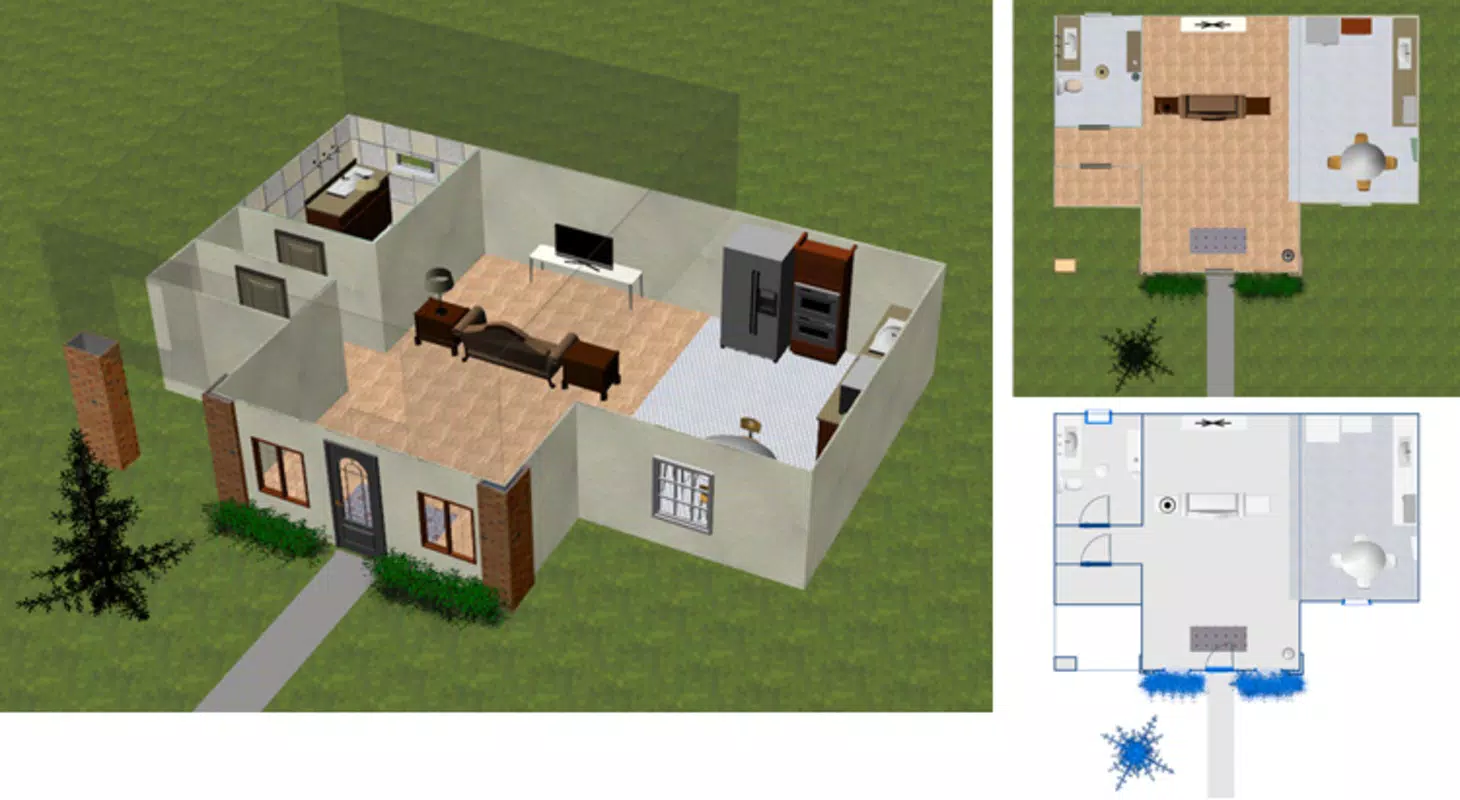
- 3D Visualization Mode: The app provides multiple viewing options, including 2D floor plans, 3D walkthroughs, and blueprint-style layouts. This feature enables users to assess spatial relationships and aesthetic harmony before finalizing their designs.
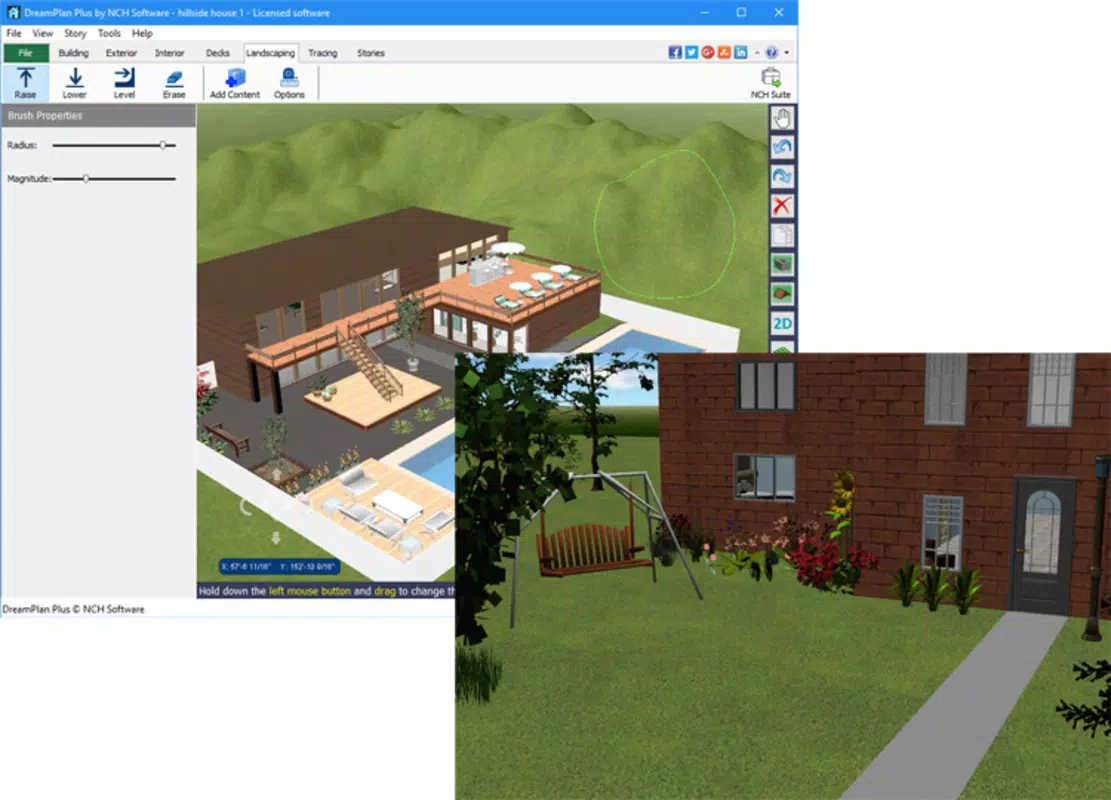
- Landscape and Outdoor Space Planning: Users can design gardens by adding trees, plants, terrain features, patios, and outdoor furniture. Elevation adjustments and slope modeling support realistic outdoor design scenarios.
- Kitchen and Bathroom Design Modules: Dedicated tools allow for the selection of countertops, sinks, appliances, and finishes. This functionality supports detailed planning for high-impact renovation zones.
- Custom Textures and Color Palettes: Users can experiment with paint colors, flooring materials, and surface textures to test different visual styles and combinations.
These features are particularly useful for someone planning a home renovation or designing a new property. For example, a user can redesign a kitchen layout, test different cabinet styles, and visualize the space in 3D to ensure functionality and aesthetics align with their vision.
Interface, UX & Performance
The app features a clean, intuitive interface optimized for touch-based navigation. The layout organizes tools into clearly labeled panels, with quick access to commonly used functions such as wall placement, furniture selection, and view switching. Visual cues and drag-and-drop mechanics simplify the design process, reducing the learning curve for new users.
Navigation is smooth and responsive, with minimal lag during transitions between 2D and 3D views. Although the developer did not list formal performance metrics, the app appears stable across various device categories, including mid-range and high-end smartphones. The user experience is consistent, with no reported crashes or freezes during standard usage. The app maintains a steady frame rate during 3D walkthroughs, ensuring a fluid visualization experience. Overall, the interface prioritizes clarity and efficiency, making it accessible to both beginners and intermediate users.
Platform Compatibility & Technical Requirements
DreamPlan Home Design is available on the Windows platform. The current version is 5.24, with a file size of 25.3 MB. The app is offered as a free download, making it accessible to a wide audience without financial barriers.
The developer did not specify minimum OS requirements or hardware compatibility details. Users should ensure their device meets general Windows system standards to run the application smoothly. Compatibility with mobile devices was not fully disclosed, and the app may be optimized for desktop or tablet use.
Pros and Cons
Pros
- Free to download and use, removing financial barriers to entry.
- Intuitive interface suitable for users with no prior design experience.
- Offers multiple visualization modes including 2D, 3D, and blueprint layouts.
- Comprehensive tools for kitchen, bathroom, and landscape design.
- Supports real-time color and texture customization for accurate visual previews.
Cons
- Platform availability beyond Windows was not confirmed.
- Specific system requirements were not listed.
- Advanced features may require a learning curve despite the user-friendly design.
- No cloud sync or cross-device functionality was mentioned.
- Offline functionality may limit collaboration features.
FAQ
Is DreamPlan Home Design safe to download?
Yes, the app is developed by NCH Software, a reputable provider of productivity and creative tools. It is available as a free download without known malware or security risks.
Can I use DreamPlan on my smartphone?
The app is currently available on Windows. Specific compatibility with mobile devices was not disclosed. Users should verify device support before attempting installation.
Does the app require an internet connection?
The app functions primarily offline. However, updates and additional content may require an internet connection.
Is there a paid version of DreamPlan Home Design?
The app is currently free to download and use. No premium subscription or in-app purchases were mentioned in the provided information.
How often is DreamPlan Home Design updated?
The latest version, 5.24, was released on March 29, 2024. Update frequency was not specified, but the developer has maintained consistent release cycles in the past.
Final Thoughts
DreamPlan Home Design stands out as a powerful, accessible tool for anyone seeking to plan their dream home. Its combination of intuitive design, robust visualization features, and comprehensive planning tools makes it a valuable asset for both casual users and serious renovators. The app’s free availability enhances its appeal, offering professional-grade functionality without cost. While platform and compatibility details are limited, the core experience remains strong and focused on usability.
Homeowners, renters, and design beginners will benefit most from its ease of use and real-time feedback. For those who want to experiment with layouts, finishes, and outdoor spaces, DreamPlan delivers a seamless and engaging experience. Whether you're remodeling a kitchen or designing a backyard retreat, this app brings your vision to life with precision and clarity.
Download DreamPlan Home Design now


